


GPS Location Tracker Ultra
4.64.00 Reviews
App Specs
- Version
- 1.3.0.0
- Updated On
- License
- Free
- Downloads
- 10,000+
- Developer
- SUNCAP COMPAGNY
- Categories
- Maps & Navigation
- Platform
- Android
Screenshots
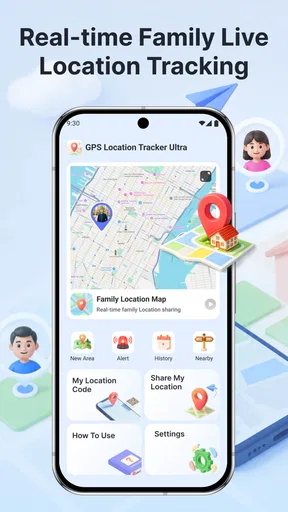
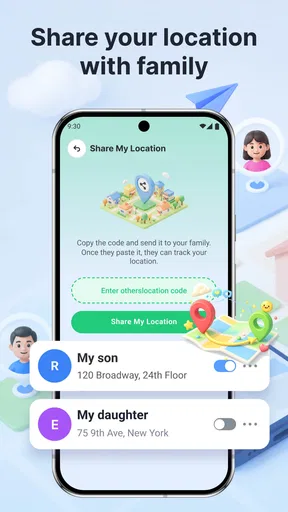
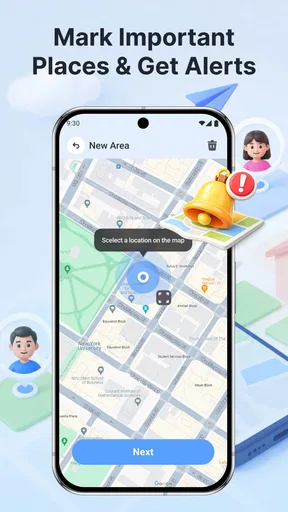
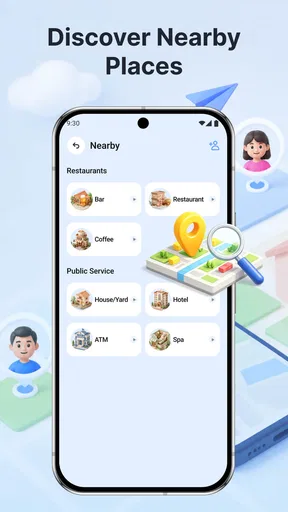
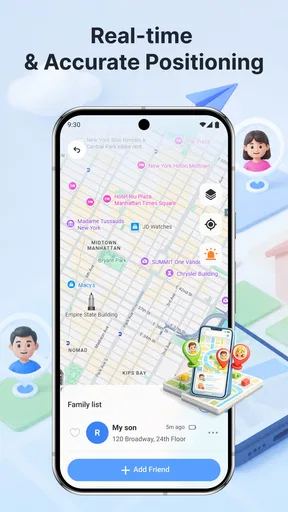
 Analysis by AppCompare
I’d treat GPS Location Tracker Ultra as a practical family location tool, not as a substitute for a full navigation app. Its focus is helping people share where they are, follow family routes and look for nearby places. That narrow purpose can be useful when the main question is “Has everyone reached the agreed destination?” rather than “Which turn should I take next?”
In my view, the best way to judge GPS Location Tracker Ultra is by the routine it supports. Location sharing only helps when the people involved agree on when to use it, how to interpret it and when a quick message is better. The app is free, developed by SUNCAP COMPAGNY, and sits in the maps and navigation category. Its average rating is 4.6 from 34 ratings, with 10K+ installs; those figures suggest some early interest, though they are not a substitute for checking whether its approach fits your family.
Build a simple location-sharing routine
I’d introduce this section by focusing on one repeatable routine rather than checking a map whenever uncertainty comes up. A clear starting point, a shared purpose and an agreed way to confirm arrival help everyone use location sharing consistently. With that baseline in place, it becomes easier to decide which phone settings and household habits are worth reviewing.
Start with one clear purpose
Before relying on a family tracker, I’d decide what it is for: checking that a child arrived at school, coordinating a pickup, or sharing a route during a day out. Keeping the purpose specific makes the app easier to use and avoids turning location checks into a constant habit. Everyone involved should know who can see location information and why it is being shared.
A useful everyday scenario is a family member travelling home while someone else is preparing to meet them. Instead of repeatedly asking for an estimated arrival time, the group can use the shared location as a rough coordination aid, then confirm plans directly if the timing matters. The app’s route and location focus suits this kind of shared awareness better than opening a general map and trying to infer where another person is.
Separate tracking from turn-by-turn navigation
The key distinction is that a family tracker and a navigation app answer different questions. A navigation app helps its own user plan a journey; a tracker helps people coordinate around someone’s location or route. For driving directions, road conditions or a carefully planned itinerary, I’d still turn to a dedicated navigation service. For checking on a family member’s trip, this app’s purpose is more relevant.
That also means I would not use a moving marker as proof that a person is safe or has arrived. Location information can be delayed or imprecise in ordinary circumstances, and a map cannot explain why someone has stopped. If a journey is important, a short check-in message provides context that a location display cannot. Treat the app as a helpful signal, not a complete account of someone’s situation.
Worth Reading Before You Choose

Flipboard Shows What News Apps Must Do Beyond the Feed

Switching to Android Auto Means Rethinking Your Driving Routine

Google Calendar Makes a Crowded Week Easier to Manage

Ludo King Makes the Most of the Minutes Between Plans

Baby Panda World Brings Quick Play to Modern Phones, but Its Game Library Feels Busy

ESPN’s Live Game View Makes Following Close Games Easier
Make the first setup a shared decision
Because the app is built around family routes and location sharing, the setup is not just a personal preference exercise. I’d agree on who will use it, what counts as a normal check and when it is appropriate to stop sharing. That conversation matters especially with teenagers and other family members who may reasonably want privacy. A tracker works best when participation is understood, rather than assumed.
The age rating is Everyone, but that does not mean every family needs to use it in the same way. For younger children, an adult may handle the routine; with older children, I’d explain the purpose and set expectations together. If a family member does not want ongoing location sharing, a direct arrival message or a one-off call may be the more respectful option.
Think through a real pickup before it gets busy
For example, imagine a parent collecting a child after an activity while traffic and timing are unpredictable. I’d agree on the pickup point in advance, open the app only to get a broad sense of the child’s progress, and use a call or message if the plan changes. That division of jobs matters: the map can help answer “Are they still on the way?” while a conversation answers “Which entrance should I use?”
This workflow is especially helpful when the people involved are travelling separately but already know the destination. It is less useful if nobody has settled on where to meet, because a location view cannot resolve an unclear plan by itself. I’d treat the shared point as context, not as an instruction to drive around looking for someone. A fixed landmark and a simple backup meeting spot usually make the technology more useful, not less.
Settings and habits that make it more useful
I’d use this section to make the routine dependable without assuming the app has shortcuts or automatic tools that it may not offer. Checking location access together, agreeing on when to look, and choosing a message or call as a fallback can prevent confusion at busy moments. Those small choices also keep the focus on coordination, not constant monitoring.
Check the basics before a day out
On the first day you plan to rely on GPS Location Tracker Ultra, I’d open it with the people who will be using it and confirm that each person understands how to share and check a location. Also review the device’s location settings and the app’s access to them. These are practical checks rather than a promise that every phone will behave identically; operating-system settings and battery choices can affect location-based apps.
Try the routine while everyone is together, before depending on it during a busy commute or crowded event. Confirm that each person can find the relevant location view and knows what to do if it does not update as expected. This small rehearsal prevents a common mistake: discovering in the middle of a pickup that one person thought sharing was already active while another expected to see them on the map.
Review permissions and expectations together
A useful setup check is to look at the phone’s location access with the person who owns the device, rather than quietly changing settings for them. The exact controls can differ between devices, so I would follow the options shown on each phone and make sure everyone understands the effect of their choices. If someone chooses not to grant access, that should be treated as a decision to use another check-in method, not as a technical problem to work around.
I’d also distinguish the app’s location role from the phone’s other privacy choices. A family may agree to use location sharing for the journey to an event but still prefer not to make it part of every ordinary hour. Building that boundary into the household routine makes it easier to keep consent meaningful. It also prevents the awkward assumption that installing a tracker means every person has agreed to be watched all the time.
Use repeatable check-in moments
Experienced users tend to get more value from a predictable habit than from repeatedly refreshing a map. For example, the family can agree to check at the start of a trip and again around arrival, rather than monitoring every movement. That reduces distraction and keeps location sharing focused on coordination. If plans change, a message can explain the change more clearly than a new point on the map.
For a school pickup, I’d agree on a meeting place and a simple backup plan before anyone sets off. The app can help the waiting adult understand whether the other person is still travelling, but the meeting point and direct communication remain the useful anchors. This is a small but important trade-off: tracking can reduce uncertainty, yet it does not replace a clear plan.
Use nearby places as a prompt, not a decision-maker
The app also includes a nearby-places purpose, which can help when a family needs to orient itself around local destinations. I’d use that as a starting point for deciding where to meet or what to look for, then verify the choice in context. A nearby result does not automatically mean a place is open, suitable or easy to reach, so it is sensible to check details before changing plans.
That makes the feature more useful during flexible outings than during time-critical travel. If you are choosing a convenient meeting area while walking around, nearby-place discovery can be a helpful nudge. If you need precise route planning or up-to-date travel guidance, a specialist maps app is the better tool to open alongside it.
Keep location checks purposeful
One non-obvious improvement is to decide what information you actually need before opening the app. If the only question is whether someone has arrived, check once and follow up directly if the display is unclear. If the question is where to meet, use the location as shared context, then agree on a specific place. This prevents a location tool from becoming an endless source of small uncertainties.
I’d also make a habit of revisiting the sharing arrangement when routines change: a new school schedule, a different commute or a family trip may call for a different approach. That is not about assuming the app offers a particular automation; it is simply good practice for any tool that exposes someone’s whereabouts. Sharing should remain intentional and proportionate to the situation.
Make a small fallback plan part of the routine
A practical habit I recommend is deciding in advance what to do if the location view is unavailable, confusing or seems behind. The answer might simply be a text, a call, or waiting at the agreed meeting point for a set part of the plan. This is not an extra feature of the app; it is a way to avoid making a family outing depend on one screen behaving exactly as expected.
That fallback is particularly useful when one person is unfamiliar with the area or cannot easily keep checking a phone while travelling. Agreeing on a destination and a way to contact one another before setting out reduces the pressure to interpret every map change. In my experience, a tracker earns its place when it reduces unnecessary messages without making people feel they must watch it continuously.
Where it fits—and where it falls short
I’d close by weighing the app’s family-coordination role against the jobs better handled by a navigation app or a simple message. Its value depends on whether a household has a genuine need for shared location awareness and can agree on sensible boundaries. That distinction makes the final decision clearer: use it for a defined routine, and choose a simpler or more specialized tool when the situation calls for one.
Choose it for coordination, not comprehensive mapping
Compared with the usual alternatives, GPS Location Tracker Ultra is best considered a family-coordination option. A general maps app is usually the natural choice for finding a route for yourself, while messaging or calling may be enough when a family only needs occasional updates. This app makes more sense when people want location and route awareness to be part of their shared routine rather than scattered across separate conversations.
That focus is also its limitation. If you need detailed trip planning, turn-by-turn instructions, transit information or a broad set of mapping tools, a dedicated navigation app is likely to serve you better. If your family rarely needs location sharing, a quick text saying “I’m here” may be simpler and more comfortable. I would not install a tracker just because location sharing sounds reassuring; there should be a real coordination problem it solves.
Account for the human and device side
Location-sharing apps depend on more than their map screen. People need to understand the arrangement, devices need location access, and users need a fallback when the display is confusing. That is why I would avoid treating a location marker as a guaranteed live feed. Before relying on it for a child’s independent journey or a time-sensitive meeting, test the routine and decide how the family will communicate if the location is unavailable or seems out of date.
Privacy is another practical limit, not a minor footnote. Continuous visibility can feel intrusive even when everyone has good intentions. I’d use the app only with clear agreement and for a defined purpose, and I would not use it to monitor someone secretly. If family members disagree about sharing, a less intrusive check-in arrangement may be the better choice.
Know what you are installing
The current version is 1.3.0.0, and the minimum operating-system requirement is version 9. It is free to install and rated for Everyone. Those basics make it straightforward to consider, but compatibility and the right to use a phone’s location settings still depend on the individual device. The developer is SUNCAP COMPAGNY, and I’d review the app’s requested access on the device before making it part of a family routine.
The small number of ratings and reviews also calls for a measured expectation. A 4.6 average is encouraging, but the rating pool is modest, so I would not treat it as definitive evidence that the app will suit every phone or household. I’d test the core sharing workflow during an ordinary day before depending on it for a trip where missed coordination would cause a real problem.
Who is likely to get the most from it?
I can see this fitting households whose members already travel independently and need a low-effort way to coordinate arrivals, especially when several people share pickup duties or plans change during an outing. It may also suit relatives who want a common location reference for a specific journey rather than a string of “Where are you now?” messages. The important condition is that everyone involved understands the arrangement and finds it comfortable.
I would be more cautious about recommending it to someone who wants a personal navigation tool, a travel planner, or a safety guarantee. It is not the right answer to every uncertainty about another person’s journey. People who only need occasional confirmation are likely to find ordinary messaging less intrusive, while anyone who values detailed directions should keep using a dedicated maps service for that job.
My verdict: useful when the routine is clear
GPS Location Tracker Ultra is worth considering if your household regularly needs a shared view of family routes, a straightforward way to coordinate arrivals, or help orienting around nearby places. Its strongest case is not replacing every map or message app; it is giving a family a common location reference for specific, agreed situations.
I’d recommend it to people who are comfortable discussing location sharing and willing to establish simple habits around it. I’d skip it if you want a full-featured navigation service, if your needs are only occasional and easily handled by a text, or if ongoing location visibility would create tension. Used with consent, a backup plan and sensible expectations, it can make everyday coordination easier without pretending that a map can answer every question.
Pros
- Can help you retrace recent journeys if you need to remember where you went.
- Location history may make it easier to review familiar routes.
- Useful for keeping an eye on a device’s whereabouts when location sharing is enabled.
- A dedicated tracking app can be more convenient than checking locations in a map app.
- May offer practical value for travel planning and everyday navigation.
Cons
- Location tracking can reduce battery life
- especially when used continuously.
- Accurate results depend on GPS reception and may be weaker indoors or underground.
- Location data is sensitive
- so review the app’s privacy policy and permissions carefully.
- Background tracking may require extra setup and consistent location access.
- Some features or tracking limits may depend on the app’s plan or in-app purchases.
FAQs for GPS Location Tracker Ultra
What does GPS Location Tracker Ultra do?
GPS Location Tracker Ultra is intended to help users view and follow location information using a device’s GPS and, depending on the app’s features, other available location services. The exact tools can vary by version, so check the app’s current description and screenshots before installing. Location results depend on GPS reception, device settings, and whether the phone has an unobstructed connection to positioning signals.
Does GPS Location Tracker Ultra track someone without their knowledge?
A location-tracking app should be used only with the knowledge and consent of the person whose location is being shared, and in line with local laws. Do not assume the app can secretly locate another person: access may require their device, permission, or an account-based sharing setup. Before using any tracking feature, review the app’s permissions and explain what information may be collected or shared.
Does GPS Location Tracker Ultra require an internet connection?
GPS can determine a device’s position without mobile data in some circumstances, but maps, online location sharing, account features, or updates may require an internet connection. Accuracy and availability also depend on the phone’s hardware, location settings, and surroundings; tall buildings, indoor spaces, and poor signal can affect results. Check the app’s listing for details about offline use and any data requirements.
Is GPS Location Tracker Ultra free, and are there in-app purchases or ads?
Pricing can differ by platform, region, and app version. The download may be free while some features, subscriptions, or other services require payment, and the app may display advertising. Review the store listing and payment screen before starting a trial or making a purchase. If a subscription is offered, check its renewal terms and cancellation instructions through your Apple or Google account.
What permissions and privacy details should I check before installing GPS Location Tracker Ultra?
Location access is central to a GPS tracker, but you should still check whether the app requests background location, contacts, notifications, or other permissions and decide whether each is necessary. Read the privacy policy and the data-safety information on the relevant app store to learn how data may be collected, used, retained, or shared. You can usually manage permissions later in your device settings.


